Notes
Sticky notes for bean ideas, recipes and what to try next batch.
NEW Bean inventory, AI analysis and six themes
Log every roast live over Bluetooth, keep track of your green beans, get AI feedback on each batch, and keep all your profiles safe in Roasters Pal Cloud.
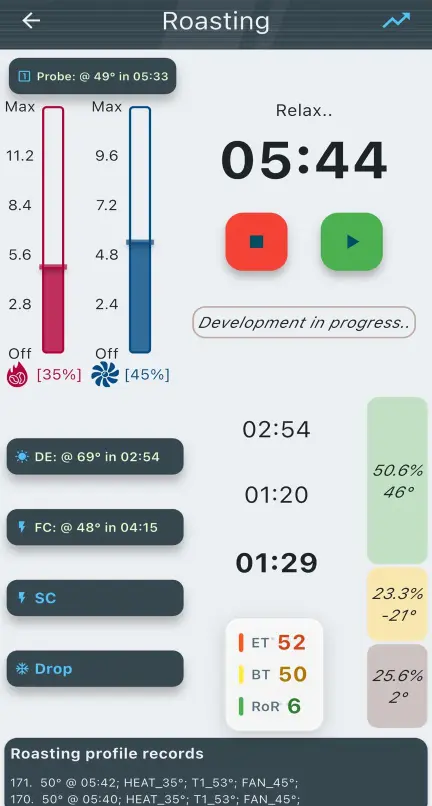
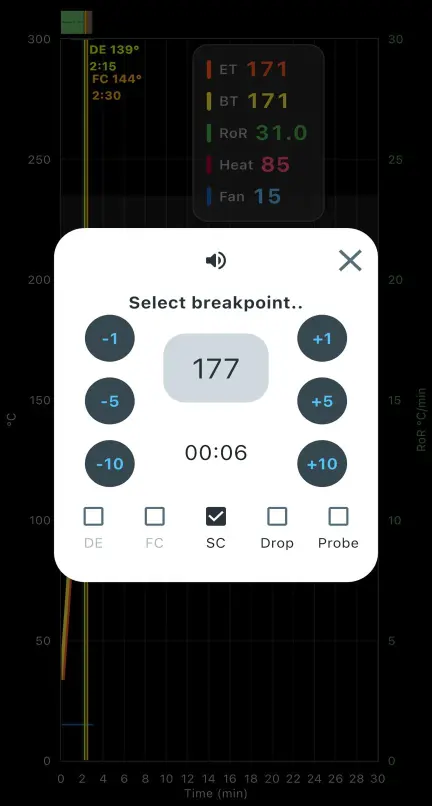
How it works
Sticky notes for bean ideas, recipes and what to try next batch.
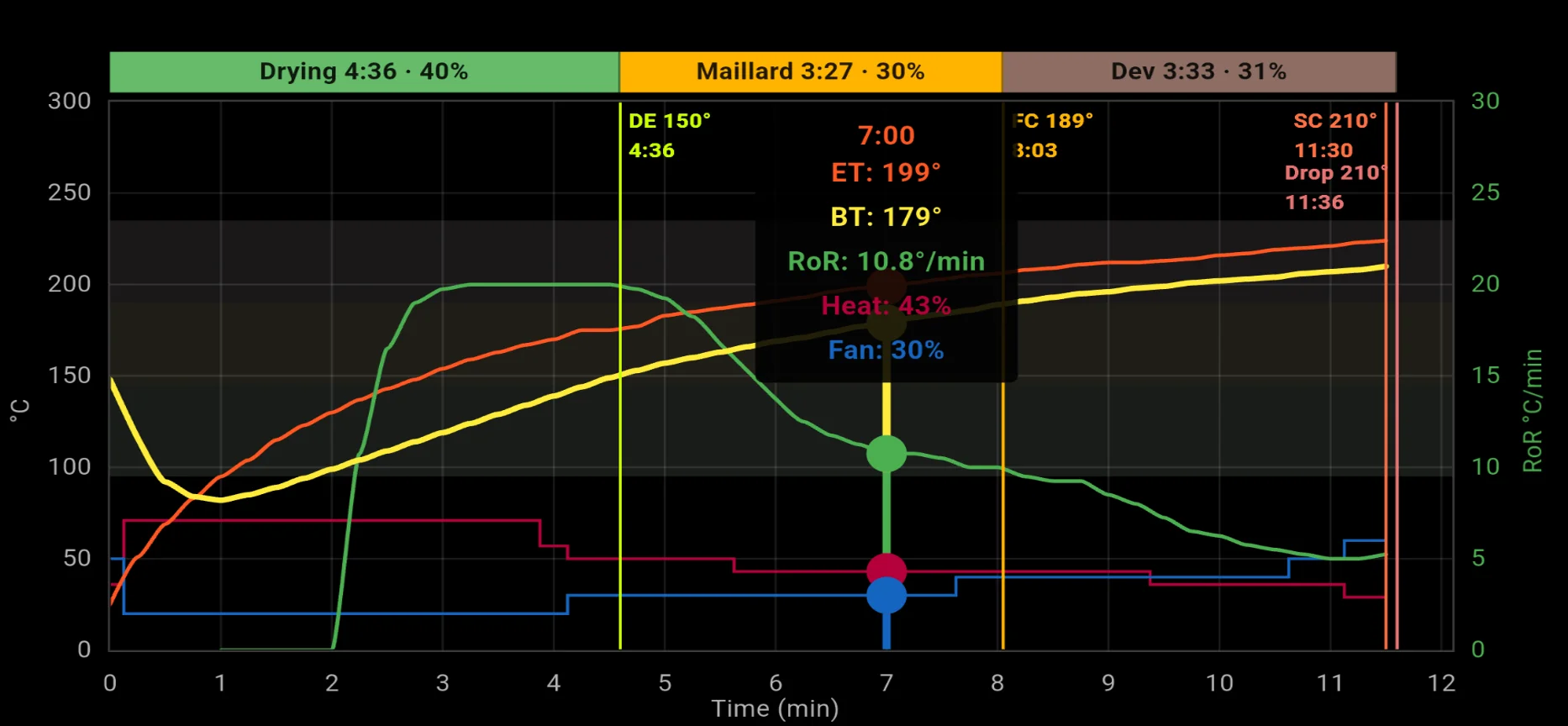
Pre-roast checks, live timers and phases, heat and fan, probes and break points — auto or manual logging.
Every roast with taste notes, ratings, graph and log. Export, print reports and get a drink recipe for each roast.
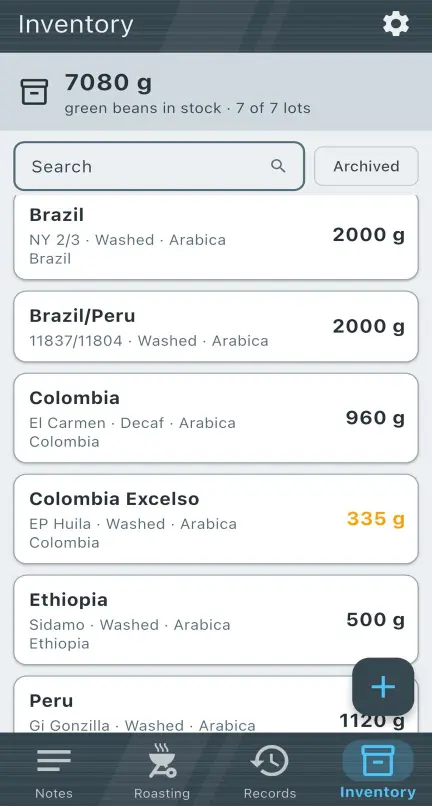
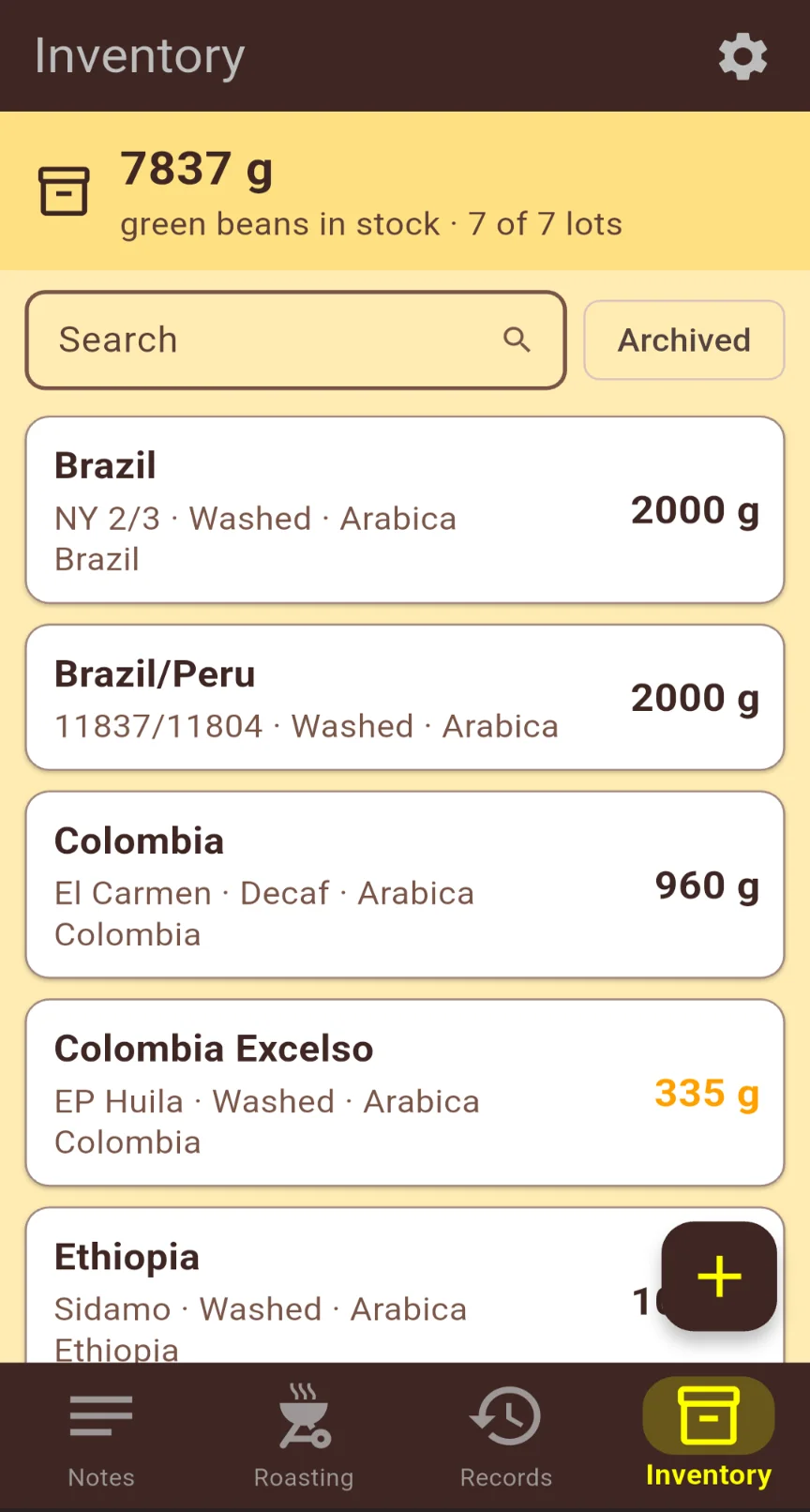
Your green bean stock by lot — origin, process, altitude and grams left.
Roast to target
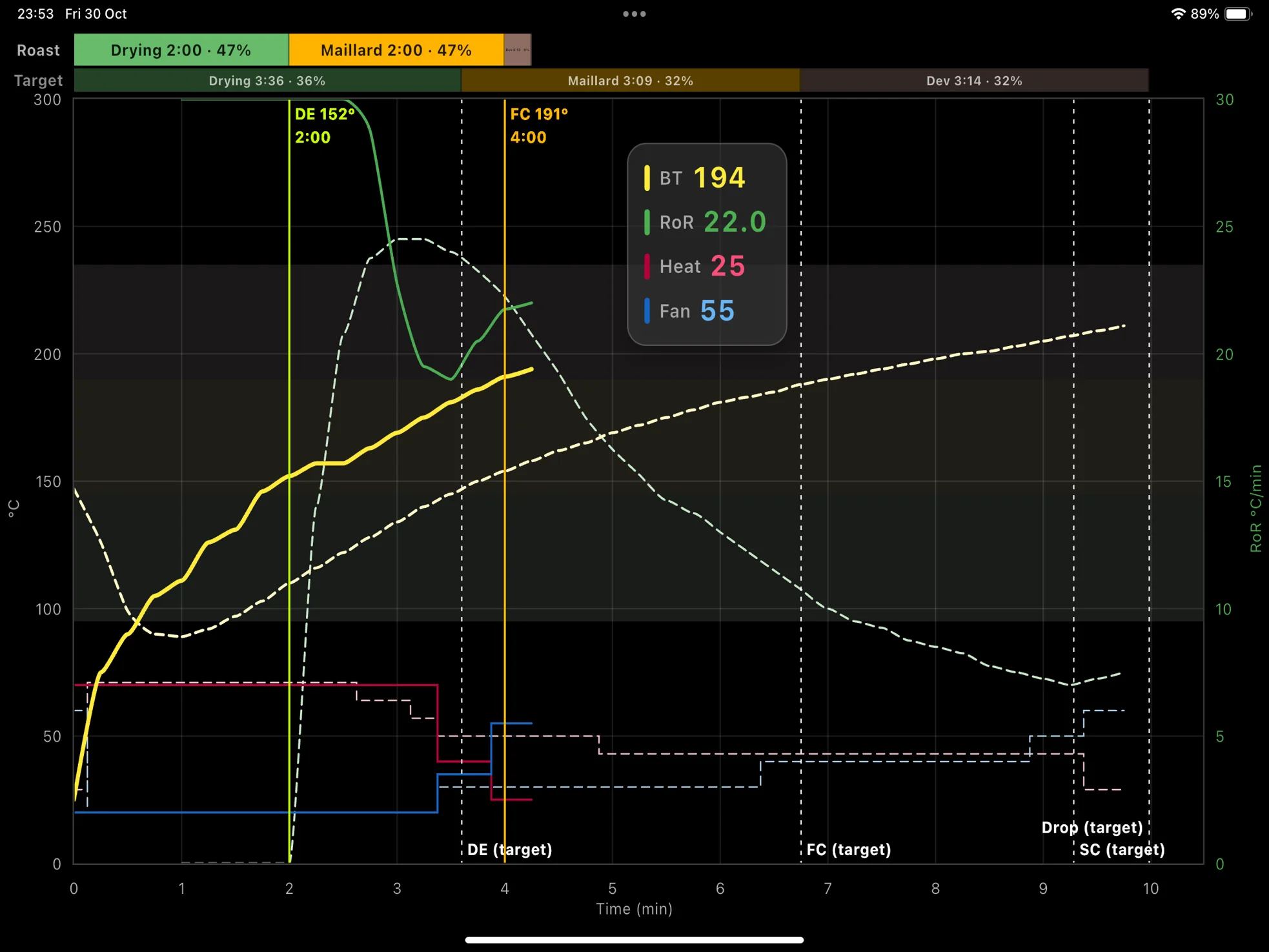
Load any saved profile as the target behind your live roast: one of your own, or a profile made in Artisan or on an Aillio Bullet. BT, ET, RoR, burner and fan are drawn against the target, with drying, Maillard and development bands, so you can correct early.
Artisan or Aillio profile as a target? Upload the .alog or .csv file to Roasters Pal Cloud (a free account is enough). It is converted to a Roasters Pal profile, which you then import into the app and load as your target.
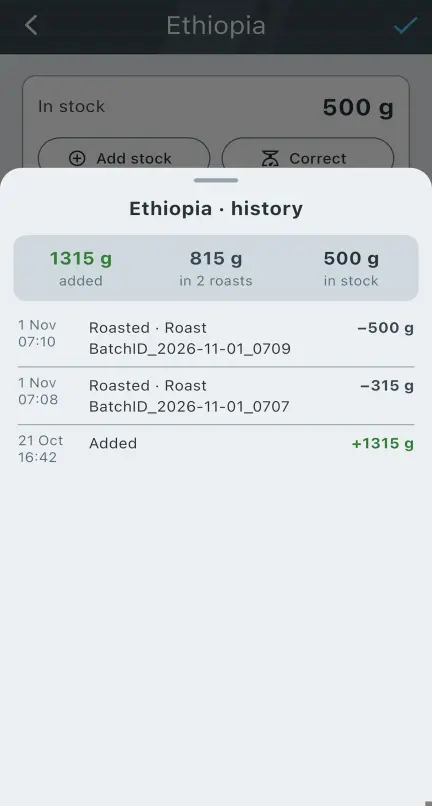
New · Bean inventory
Add each lot of green coffee once — origin, farm, process, variety, altitude and weight. When you roast, pick the beans for the batch, or several for a blend, and the stock goes down by itself.
New · AI analysis
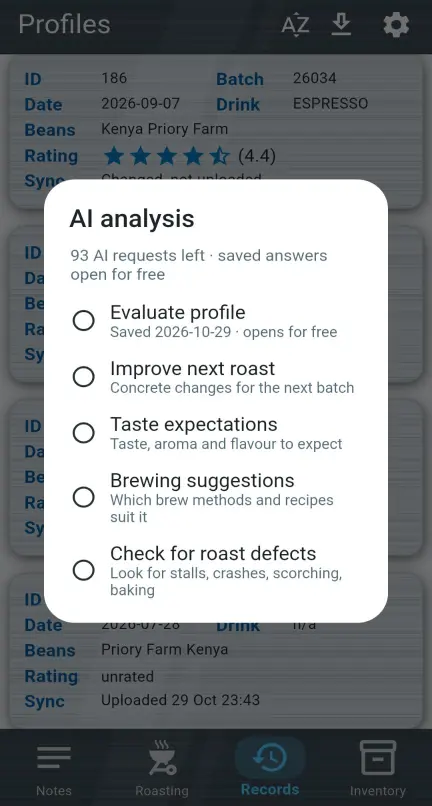
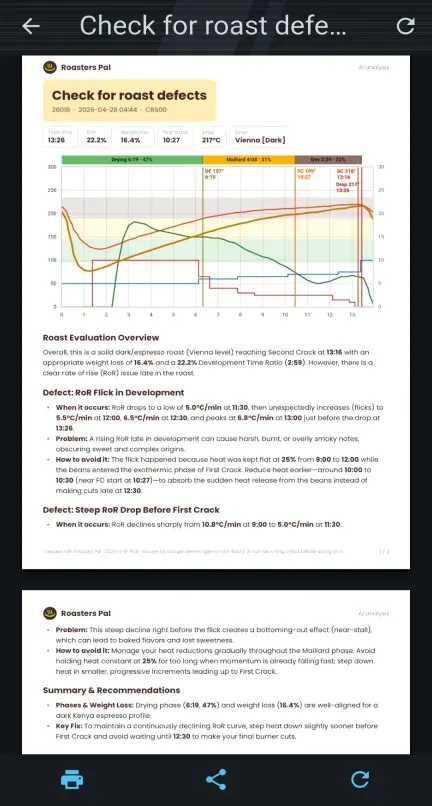
Long-press any roast and ask. The AI reads the whole profile — curves, phases, beans and your notes — and answers with a report you can print or share.
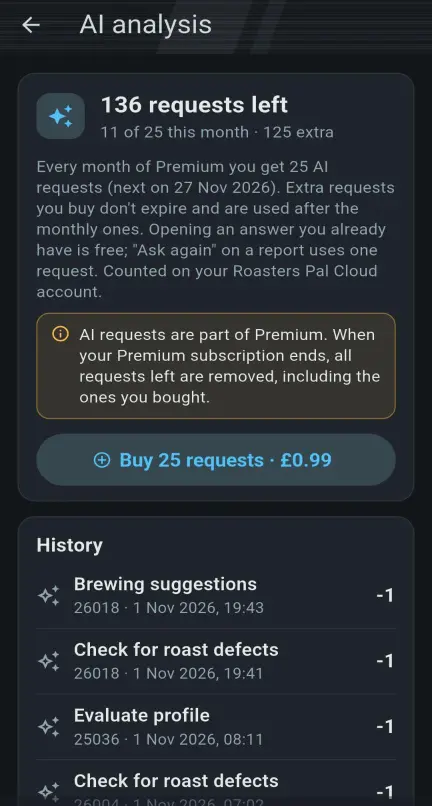
Premium includes 25 AI requests every month. Need more? Extra packs of 25 are available in the app and never expire. Opening a saved answer is always free.
New · Six themes
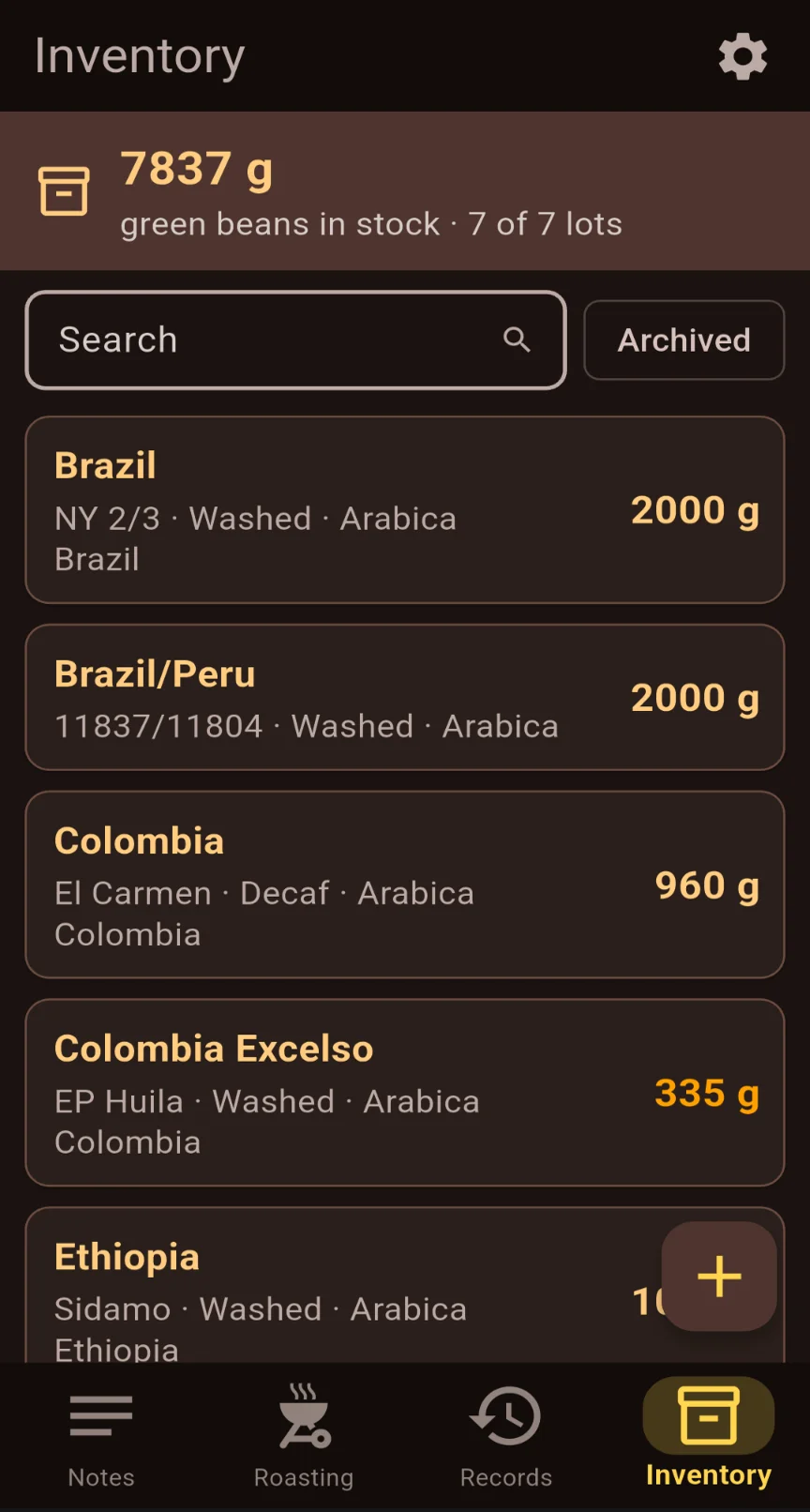
Six styles, each in light and dark, or follow your phone's setting. Record cards take on the style's texture, while graph colours stay the same everywhere so your curves always read the same.
Classic is free for everyone: espresso brown with golden highlights, and a coffee photo on every record card.
Roasters Pal Cloud
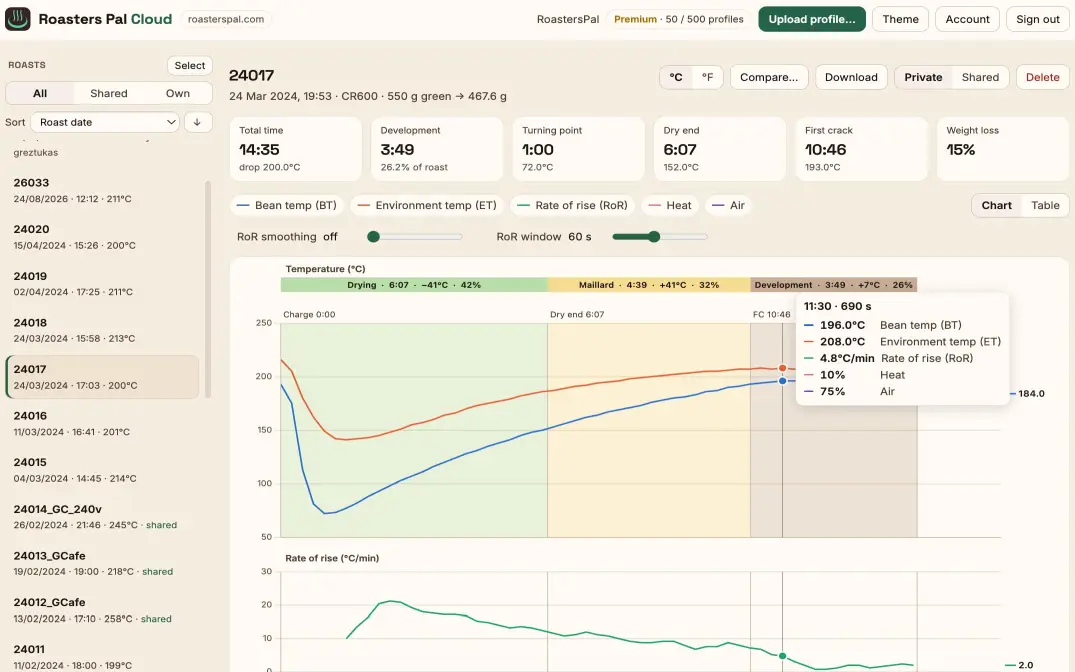
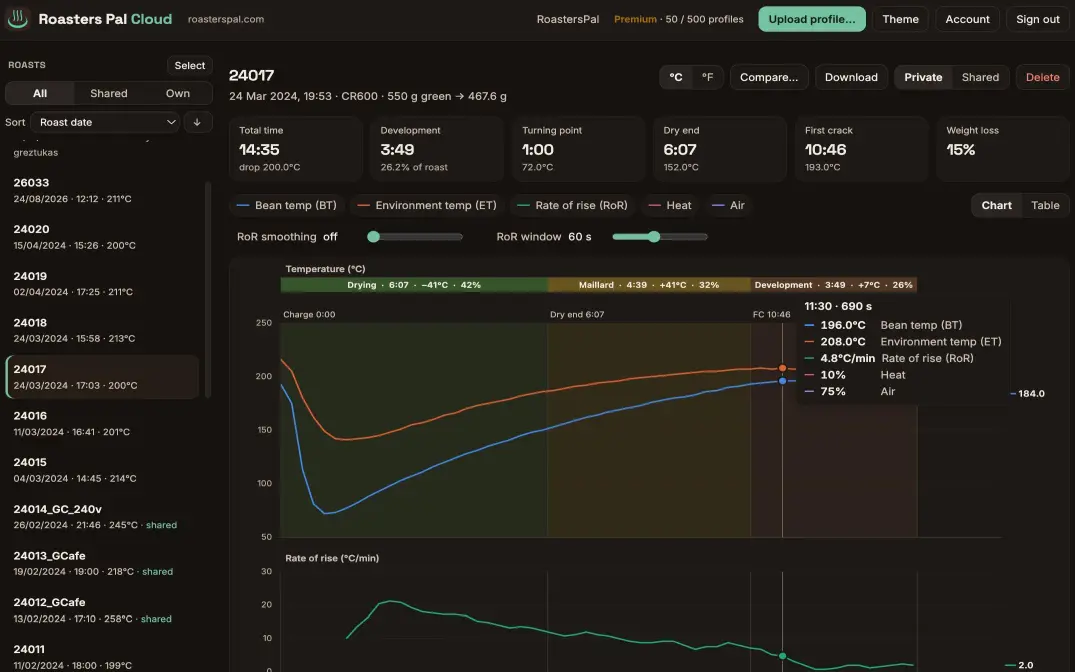
Sign in once and each roast uploads itself when it's done. Open Roasters Pal Cloud on any computer to study the charts, compare, and share.
Each roast uploads itself when it's done, and edits replace the server copy. Download or upload profiles one by one or in bulk as a zip, for an easy full backup.
Temperature with phase bands, RoR, heat and air, in °C or °F. Put two roasts on the same charts and align them on charge, turning point, dry end, first crack or drop.
Artisan (.alog) and Aillio Bullet (.csv) profiles become Roasters Pal profiles: compare them with your roasts, or take them into the app to roast to them as a target, add taste notes or ask the AI for a second opinion.
Keep roasts to yourself or share them with other roasters.
From roast to cup
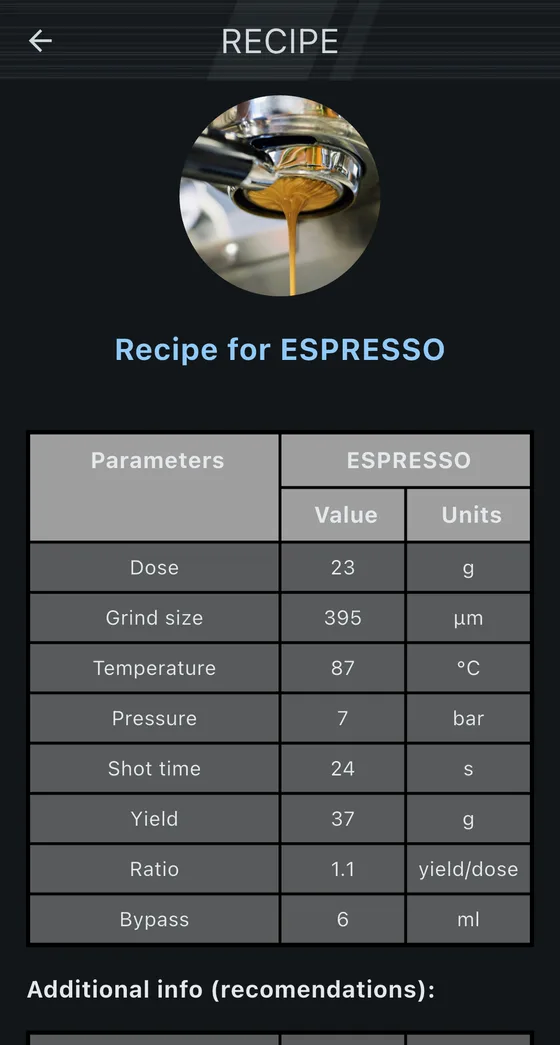
Search for a starting recipe for espresso, filter, AeroPress or V60 by roast level, Agtron value or bean density. Each result gives you dose, grind size, temperature, ratio and more, so you reach your perfect cup in fewer tries. Rate the recipes that match best and help other roasters find theirs.
Built on the density method from density.coffee, extended with Agtron and roast-level search, more recipes and ratings.
Pricing
Upgrade any time from Settings in the app. Premium follows your Roasters Pal Cloud account to every phone.
£0
£0.99 / month
£9.99 / year
Extra AI request packs are sold in the app. When Premium ends, unused AI requests are removed and server storage returns to the Free limit — you get 180 days to back up older profiles.
From the blog
A desktop place to browse and analyse your roast profiles — and the ones other roasters share.
Version 2.1.0 suggests espresso, V60, AeroPress and other recipes from your roast's density, Agtron and roast level.
How the RoR step and the smooth factor change the Rate of Rise you see while roasting.
FAQ
No. In manual mode you log temperatures yourself with the quick +1 / +5 / +10 buttons while the timers run. With a Bluetooth thermometer the app logs readings automatically. You can build one for about £18.
Any roaster — drum, air or handheld. Set your roaster's name, choose manual or auto (Bluetooth) logging, pick the log interval (2, 5, 10, 15, 30 or 60 seconds) and the other settings in Settings › Roaster & Bluetooth and Settings › Roasting.
Yes. Roasting, Bluetooth logging, records, notes, inventory, drink recipes and the Classic theme are free, with a few ads. Premium removes the ads and adds five more themes, AI analysis, more Cloud storage, finer RoR steps, and your roaster's own heat and air settings: enter the highest setting of your roaster, and the app shows the marks from your roaster's dial instead of %.
No, the app works fully on its own. Sign in under Settings › Roasters Pal Cloud if you want your roasts backed up on the server, viewed on a computer, shared, or your Premium and AI requests to follow you to another phone.
You also need Roasters Pal Cloud to convert profiles from Artisan (.alog) or an Aillio Bullet (.csv) into Roasters Pal profiles, for example to use them in the app as a target for your next roast. A free account is enough.
Either sign in to Roasters Pal Cloud on both phones, or use Settings › Backup to create a backup and restore it on the new phone. When restoring you choose what to bring back: profiles, inventory and notes.
Premium includes 25 AI requests a month, renewing on the day your subscription started. Extra packs of 25 can be bought in the app and don't expire while Premium is active. Opening an answer you already have is free. When you're signed in to Roasters Pal Cloud, your requests are shared between your phones.
You keep all your roasts on your phone. In Roasters Pal Cloud the limit goes back to 50 profiles: newer roasts stay visible, older ones above the limit are hidden, and you get 180 days to back them up before they are removed. Unused AI requests, including bought ones, are removed.
Yes. Upload an Artisan .alog file or an Aillio Bullet (RoasTime) CSV to Roasters Pal Cloud. It is converted to a Roasters Pal profile, which you can download and open in the app.
Both. Choose the unit in Settings › Roasting; Roasters Pal Cloud can switch between them for any roast.
DIY hardware
Wire an ESP32 board to a MAX6675 and a K-type thermocouple, flash the free Arduino sketch, and stream bean temperature straight into the app. Around £18 in parts.
Read the build guideThe story
Built by a home roaster who was tired of paper logs and unrepeatable recipes.
Started in 2019 on a Gene Cafe, shared with fellow hobbyists in 2022, and maintained in spare time ever since.
Read the storyFree on the App Store and Google Play.
Send feedback or report an issue — you can also do it from About in the app.